Davra Messenger
DavraMESSENGER
Home/Features/💬 Communication/Working with time
❄️

Freeze the chat

Take a break for a while — the chat will be temporarily paused.

Did the argument get heated? Freeze the chat for several hours or days — no one will be able to send messages during this time. When the period ends, the chat will resume automatically.

🧭 How to use

  1. 1

    Chat menu (⋮) → «Freeze period»

  2. 2

    Choose the duration

  3. 3

    The freeze end time is shown in the header
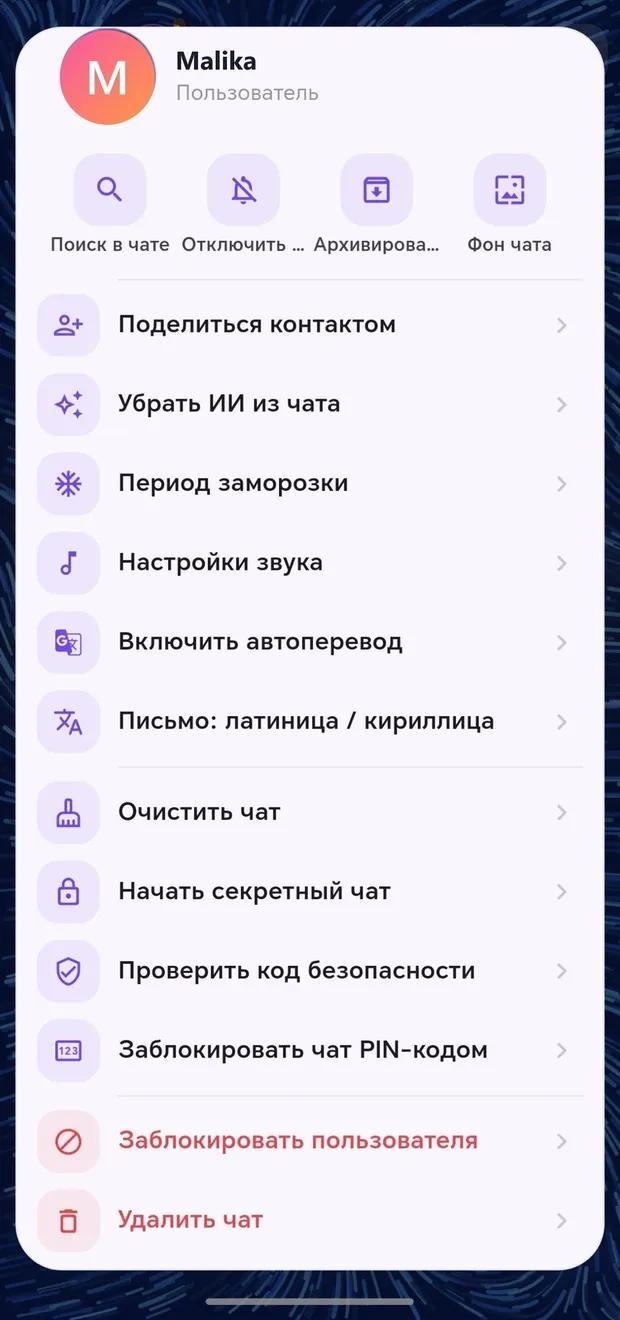
Appearance in the app · Tap to enlarge

Other features in this section

🗓️

Schedule for later

Write the message — it will be sent automatically at the required time.

More details
⏰

Message reminder

It reminds you about an important message later.

More details
🔥

One-time message

Text, image, or video that can be opened only once.

More details
⏳

Time capsule

The message remains locked until the specified date.

More details
📝

Drafts

Your unfinished message won't be lost.

More details

Join Davra

Free. No ads. Get started in one minute.

Download for free Open the web version 🧭All features
💬Communication📞Calls✨Send the link anywhere📖Davra Quran📜Davra Hadith🪔Davra Tafsir🗣️Davra Language📡Davra Live🛍️Davra Market🎨Media and creativity🧰Personal tools🛡️Security and privacy📡Nearby☁️Memory and devices🎨Personalization
💡Help 🌐About us 📊Website statistics