Davra Messenger
DavraMESSENGER
Home/Features/💬 Communication/Groups
👥

Group chats

Admins, invite links, and join requests.

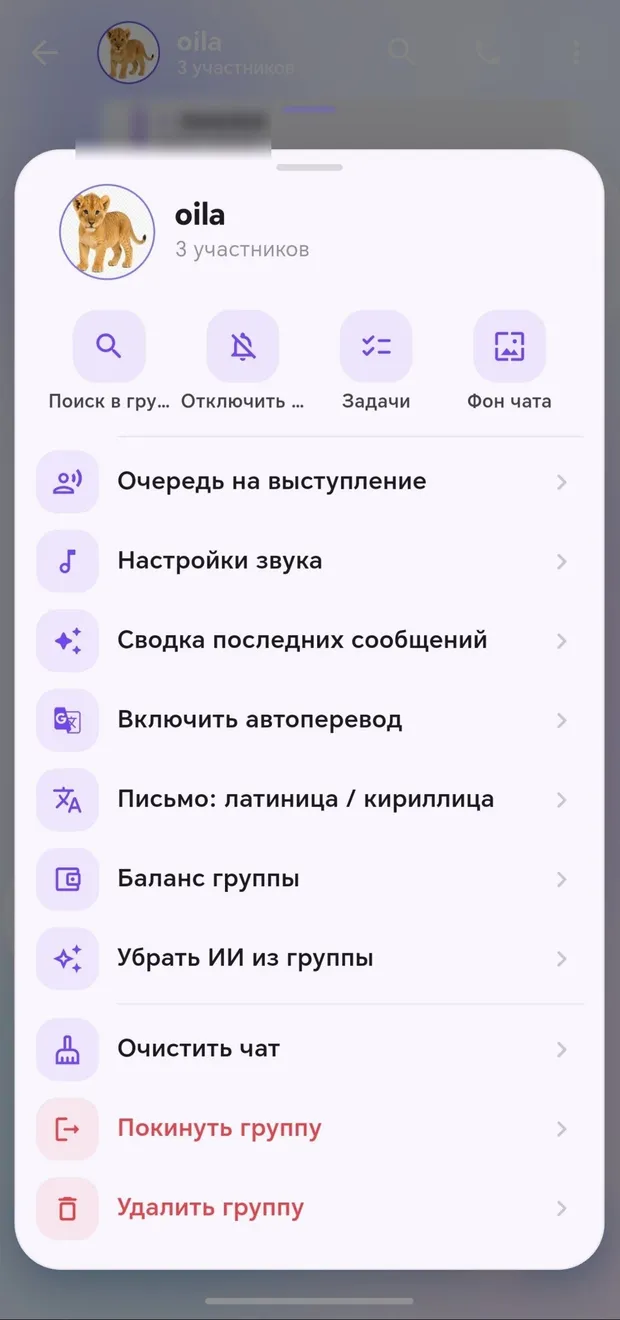
Create a group, add members, or share an invite link. Admins manage members and can enable join approval. The number of unread messages is counted separately for each member.

🧭 How to use

  1. 1

    Chats → “Groups” → ➕

  2. 2

    Choose a name, photo, and members

  3. 3

    Send the invite link to your friends

Appearance in the app · Tap to enlarge

Other features in this section

👁️

Private reply

A reply visible only to one person within the group.

More details
✅

Tasks

Decide who will do what within the group itself.

More details
💰

Split expenses

Who paid how much and who owes whom.

More details
📊

Polls

Find out the group’s opinion instantly.

More details
🎤

Taking turns speaking

Organize who speaks next.

More details
✨

Summary of missed messages

100 unread messages? AI will provide a brief summary.

More details

Join Davra

Free. No ads. Get started in one minute.

Download for free Open the web version 🧭All features
💬Communication📞Calls✨Send the link anywhere📖Davra Quran📜Davra Hadith🪔Davra Tafsir🗣️Davra Language📡Davra Live🛍️Davra Market🎨Media and creativity🧰Personal tools🛡️Security and privacy📡Nearby☁️Memory and devices🎨Personalization
💡Help 🌐About us 📊Website statistics