
Swipe to select
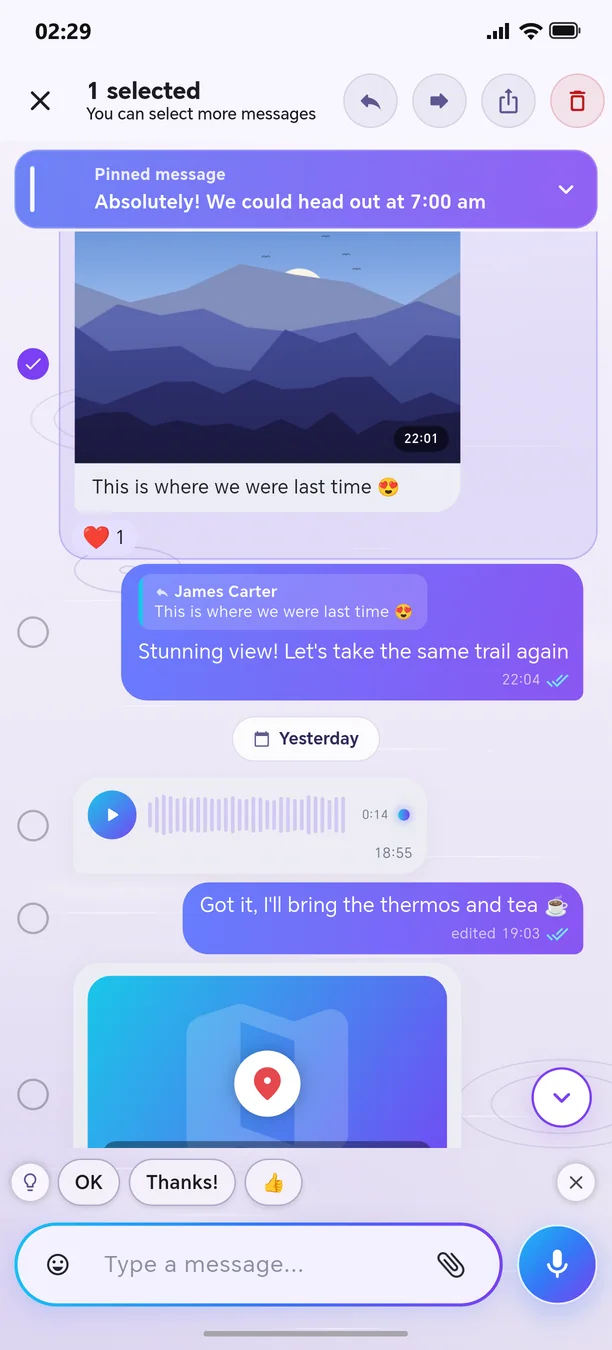
Select dozens of messages in one motion.
Press and hold a message, then slide your finger up or down without lifting it — every message along the way gets selected, and the list scrolls by itself when you reach the edge. Then forward, copy or delete them all at once. Works in private chats, groups, Saved Messages, channels and Bluetooth chats.
🧭 How to use
- 1
Press and hold a message
- 2
Slide without lifting your finger
- 3
Choose an action from the bottom bar
Other features in this section
Private chat
Fast, beautiful, and lively messaging.
More detailsVoice messages
One tap — record and send; choose the playback speed.
More detailsPhotos, videos, and albums
Send multiple photos as one beautiful album.
More detailsFile, location, and contact
Send a document, PDF, map location, or contact.
More detailsLive location
Show your route in real time for a specified period.
More detailsReactions and menu
Respond to the message with an emoji — with animation.
More detailsReply, quote, and discuss
Reply to the message and quote the relevant part.
More detailsEditing and quick deletion
Correct a mistake or delete the message with one tap.
More detailsPinned messages
An important message always stays at the top of the chat.
More detailsForward and reply in another chat
Forward a message to another conversation or reply there.
More detailsSmart text
Links, numbers, cards, @names and #tags — one tap away.
More detailsRingtones from any audio
Turn a voice message or a song into a ringtone.
More details
Welcome to the next-generation messenger
Free. No ads. Get started in one minute.