Fast, beautiful, and lively messaging.
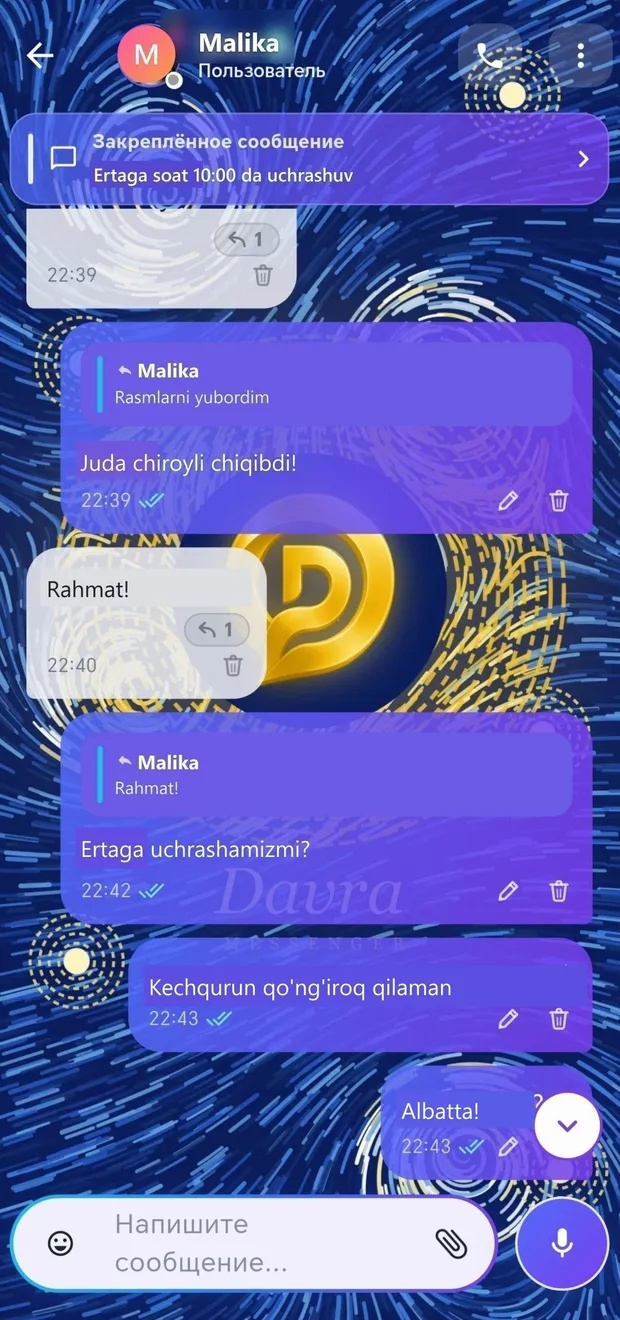
Messages arrive instantly: one checkmark — sent, two gray checkmarks — delivered, two blue checkmarks — read. You can see when someone is typing, recording a voice message, and online. You can set a unique background for each conversation.
Open the «Chats» section in the left panel
Select a contact or find a username using search
Write a message and press the app logo button
If there is no internet, the message waits in the queue with a clock icon and is sent automatically as soon as the connection is restored.
One tap — record and send; choose the playback speed.
More detailsSend multiple photos as one beautiful album.
More detailsSend a document, PDF, map location, or contact.
More detailsShow your route in real time for a specified period.
More detailsRespond to the message with an emoji — with animation.
More detailsReply to the message and quote the relevant part.
More detailsCorrect a mistake or delete the message with one tap.
More detailsAn important message always stays at the top of the chat.
More detailsForward a message to another conversation or reply there.
More details