
Auto-delete, export and archive
Messages delete themselves after 1 day, 1 week or 1 month.
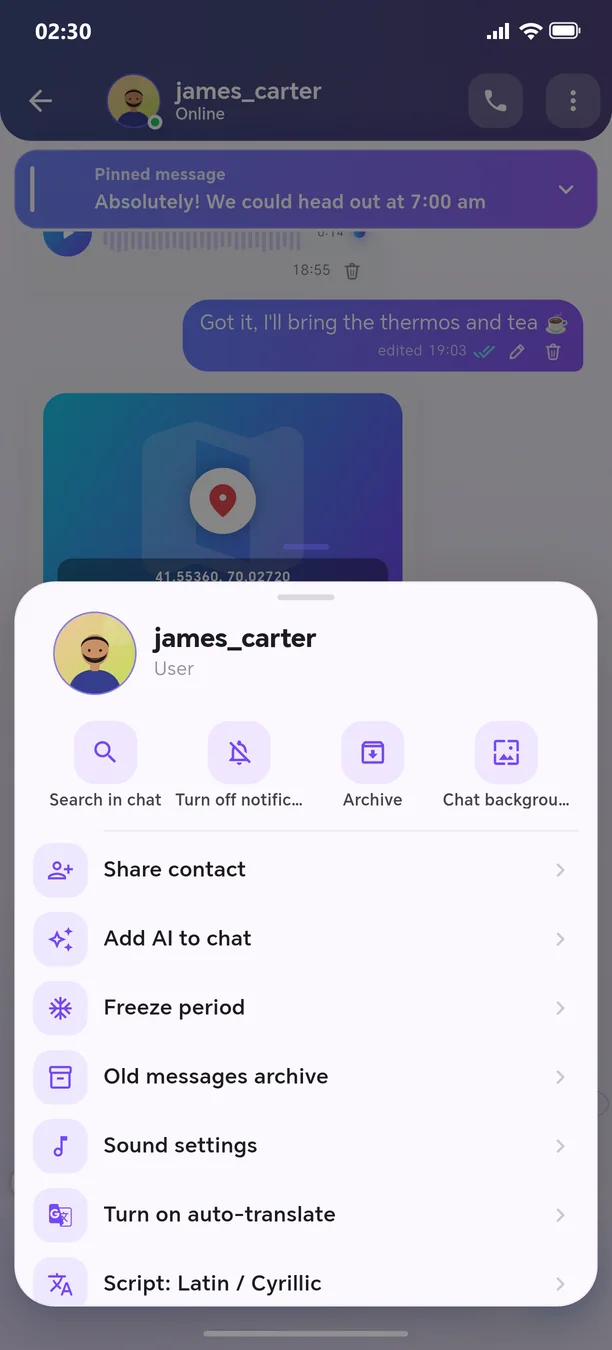
Turn on auto-delete for any conversation: 1 day, 1 week or 1 month — the server clears expired messages itself (in groups, only an admin can turn it on). You can export a conversation as an HTML or TXT file. Messages older than a year move month by month into an encrypted archive and can be read from “Old messages archive” — keeping the chat light and fast.
🧭 How to use
- 1
Contact profile (or group info) → ⋮
- 2
Choose a period under “Auto-delete”
- 3
To export, tap “Export chat”
Other features in this section
Schedule for later
Write the message — it will be sent automatically at the required time.
More detailsMessage reminder
It reminds you about an important message later.
More detailsOne-time message
Text, image, or video that can be opened only once.
More detailsTime capsule
The message remains locked until the specified date.
More detailsFreeze the chat
Take a break for a while — the chat will be temporarily paused.
More detailsDrafts
Your unfinished message won't be lost.
More details
Welcome to the next-generation messenger
Free. No ads. Get started in one minute.