Davra Messenger
DavraMESSENGER
Home/Features/✨ Send the link anywhere/AI tools
🌐

Auto-translation

Everyone writes in their own language — you read in yours.

Turn on auto-translation for chats — incoming messages will be translated into your language, and you can view the original text with one tap. You can also translate an individual message manually. If you press and hold the Send button and select “Translate and send,” your message will be sent in your conversation partner’s language.

🧭 How to use

  1. 1

    Chat menu → «Turn on auto-translation»

  2. 2

    Select a language

  3. 3

    Tap the button in the message to view the original text
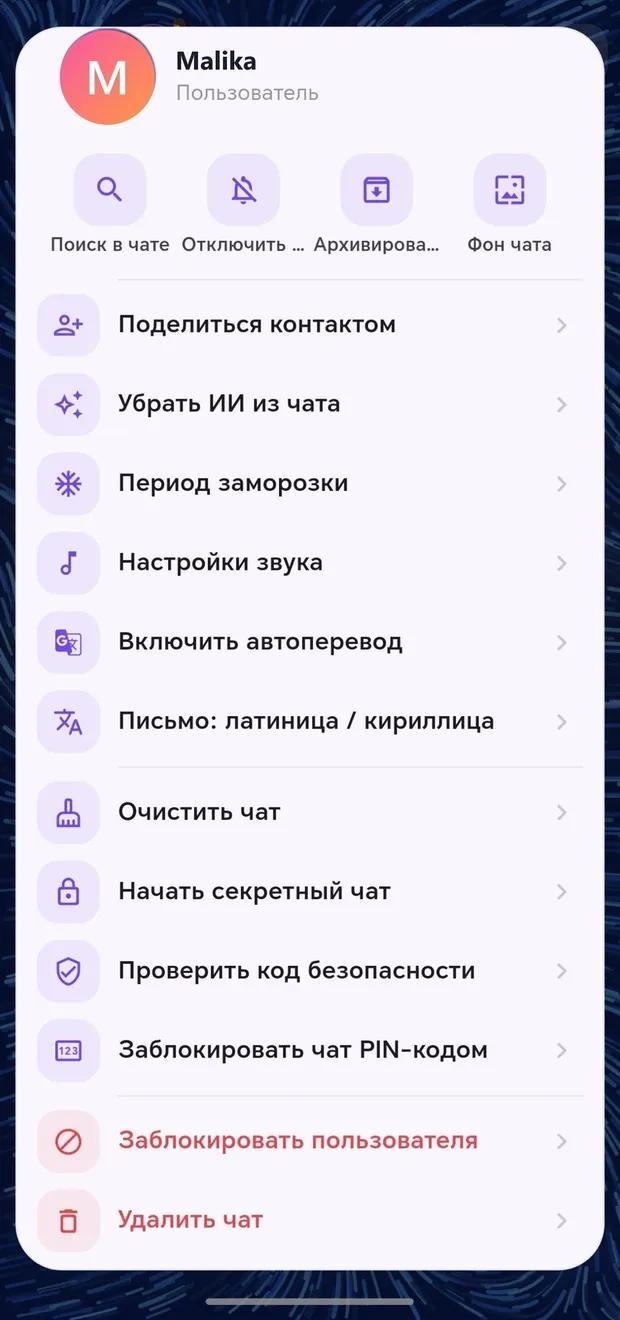
Appearance in the app · Tap to enlarge

Other features in this section

🔤

Latin ↔ Cyrillic

Instantly convert Uzbek text to another script.

More details
📝

Voice message text

Read a voice message without listening to it.

More details
🧮

AI calculator

Ask for calculations in plain language.

More details

Join Davra

Free. No ads. Get started in one minute.

Download for free Open the web version 🧭All features
💬Communication📞Calls✨Send the link anywhere📖Davra Quran📜Davra Hadith🪔Davra Tafsir🗣️Davra Language📡Davra Live🛍️Davra Market🎨Media and creativity🧰Personal tools🛡️Security and privacy📡Nearby☁️Memory and devices🎨Personalization
💡Help 🌐About us 📊Website statistics